I've now opened a lot of Instagram data exports — mine, and plenty of other people's while building a tool that reads them. Almost everyone reacts the same way when they finally unzip it.
Where are the photos?
Fair question. Here's the honest answer, plus how long the whole thing takes and what to do when it goes wrong.
Requesting it
Instagram app → Profile → ☰ → Accounts Centre → Your information and permissions → Download your information.
Meta moves this menu around roughly once a year, so if it's not exactly there, it's within one click of there.
Two choices matter:
JSON, not HTML. HTML gives you a set of web pages you can click through, which feels friendlier and is much harder to do anything useful with. JSON is structured data. If you ever want to feed the export into anything — a script, a tool, a spreadsheet — you want JSON. You can always request the other one later.
All time, and everything. Date ranges and partial selections are how you end up doing this twice.
How long it takes
The official line is "up to 30 days." I have never seen it take anything close to that.
Realistically: a small account, JSON, and you'll often have it in under an hour. A big account with years of history and a lot of your own media can run a day or two. Choosing HTML instead of JSON makes it noticeably slower, because Instagram is building you a small website.
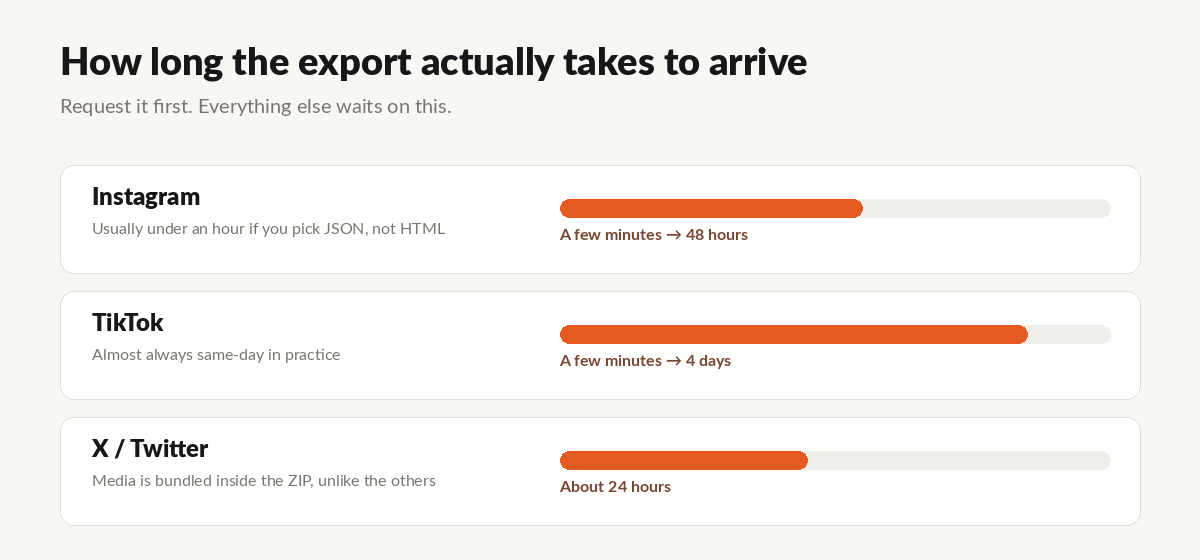
It arrives as an email with a download link — and this is where people lose their export. The link expires after about four days. The email lands in a promotions tab, you're busy, and by the time you go looking, you're starting over.
Download it the day it arrives. Put the ZIP somewhere you'll find it.
What's inside
Here's the structure that matters:
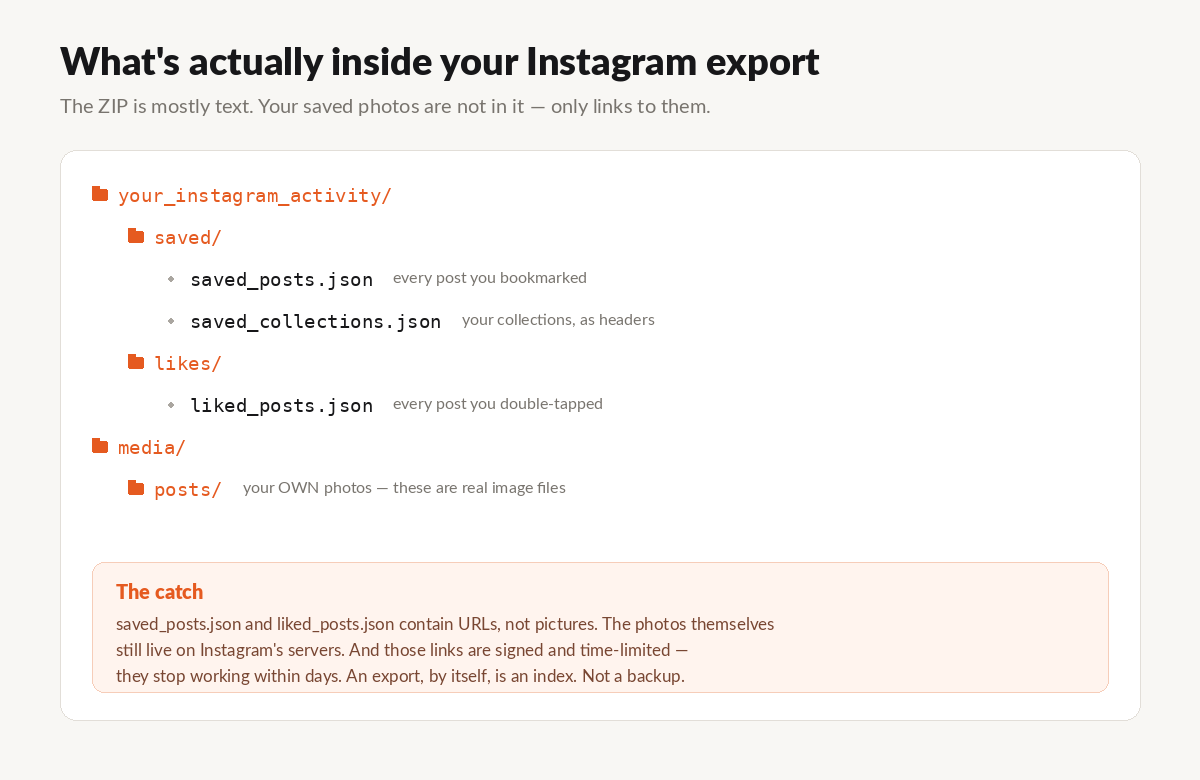
Your own photos and videos — the ones you posted — are in there as real files. Good.
Everything you saved or liked is not. saved_posts.json and liked_posts.json contain links. Thousands of them, if you're anything like most people. The recipes, the workouts, the places you meant to go — all present as URLs, none present as pictures.
Your collections survive, which is nicer than it sounds. If you spent years sorting saves into "Recipes" and "Travel," saved_collections.json preserves those groupings, so a good tool can rebuild them as folders rather than dumping ten thousand files in a heap.
The part nobody warns you about
Those links inside the export don't last.
They're signed, time-limited CDN URLs. Open one the day your export arrives and the photo loads. Open the same one a couple of weeks later and you get a 403. The link is dead, even though the post is still sitting right there in the app.
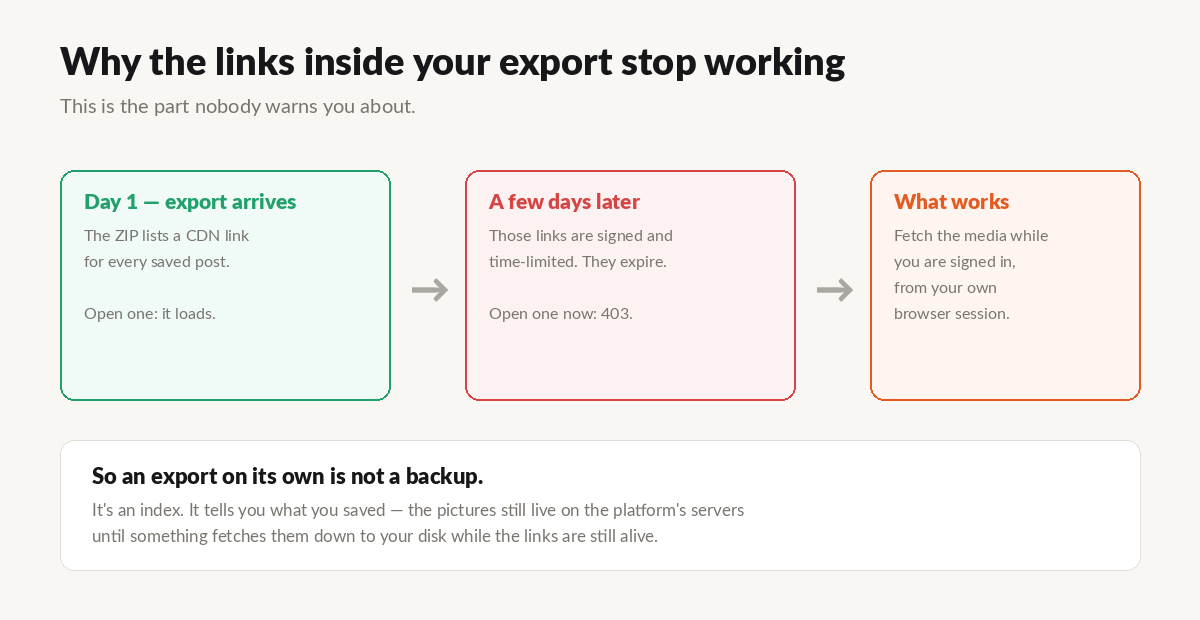
So the export, on its own, is not a backup. It's an index. It's a very good, very complete list of everything you cared about — and a list is not a photo.
To actually end up with the pictures, something has to walk that list and fetch each one while the links still work, using the session you're already signed into. That's the whole job, and it's why this isn't as simple as "unzip and done."
That's what I built UnplugMe for. You give it the ZIP, it reads the list, and it downloads the actual photos and videos to your hard drive — organized by collection, with the folder names you chose. First 50 are free, no account, so you can see whether I'm telling the truth.
Try it → · The full Instagram export walkthrough →
When the export doesn't work
A few failure modes I've watched people hit:
Nothing arrives. Check your email's promotions and spam folders. Meta sends it from a Facebook address, which trips a lot of filters. Also check the Download your information page itself — the file is usually listed there even when the email vanished.
It says "in progress" for days. Usually a big account plus the HTML format. Cancel it, request JSON, all time. It'll be faster.
The ZIP is enormous. If you've posted a lot, most of the size is your own media. That's normal. Mine was over a gigabyte and was mostly video.
The link expired. Just request it again. It's not rate-limited in any way that matters, and the second request usually completes faster.
What I'd do
Request it now, even if you have no plans to do anything with it. It takes ninety seconds, it's free, and the export you have is worth more than the one you meant to request last year.
Then, when it lands — actually download it, and pull the photos down while the links are alive.
UnplugMe is a personal data portability tool. It works with the official Instagram data export and your own signed-in session, and only ever downloads content you already saved or liked yourself. It is not affiliated with Meta.